How to Build a Digital-Product Waitlist in Systeme.io — Without Buying a Bigger Stack
Build a digital-product waitlist with an opt-in page and a thank-you step. Check free-plan limits, email-sender requirements, and the real signup path before sharing.
Looking for funnel templates? This page now focuses on one practical waitlist structure. It does not offer an importable template or claim tested conversion results.
Have a product in progress? Give interested people one clear next step.
Start with an invitation page and a thank-you step. Add email follow-up only when your sender setup is ready. You do not need a checkout or a paid plan just to begin collecting interest.
A waitlist can help you find people who want launch updates. It cannot prove that they will buy, and it will not bring visitors on its own. Use this workflow when you know what you are making and who it helps. If you are still choosing a product, work on a useful sample and a specific buyer problem first.
Verification note: These instructions are based on official documentation checked on October 1, 2026. We have not completed this workflow end to end in our own account. The illustrations are original examples, not product screenshots or importable templates.
1. Write the promise before choosing a template
Include what the product is, who it helps, what joining means, and whether the release date is confirmed. Do not invent a deadline just to make the invitation sound urgent.
For example, a creator building a printable meal-planning kit might write: “I am making a weekly meal-planning kit for busy households. Join if you would like to hear when it is ready. The launch date is not confirmed.” This is an illustrative promise, not evidence of customer demand.
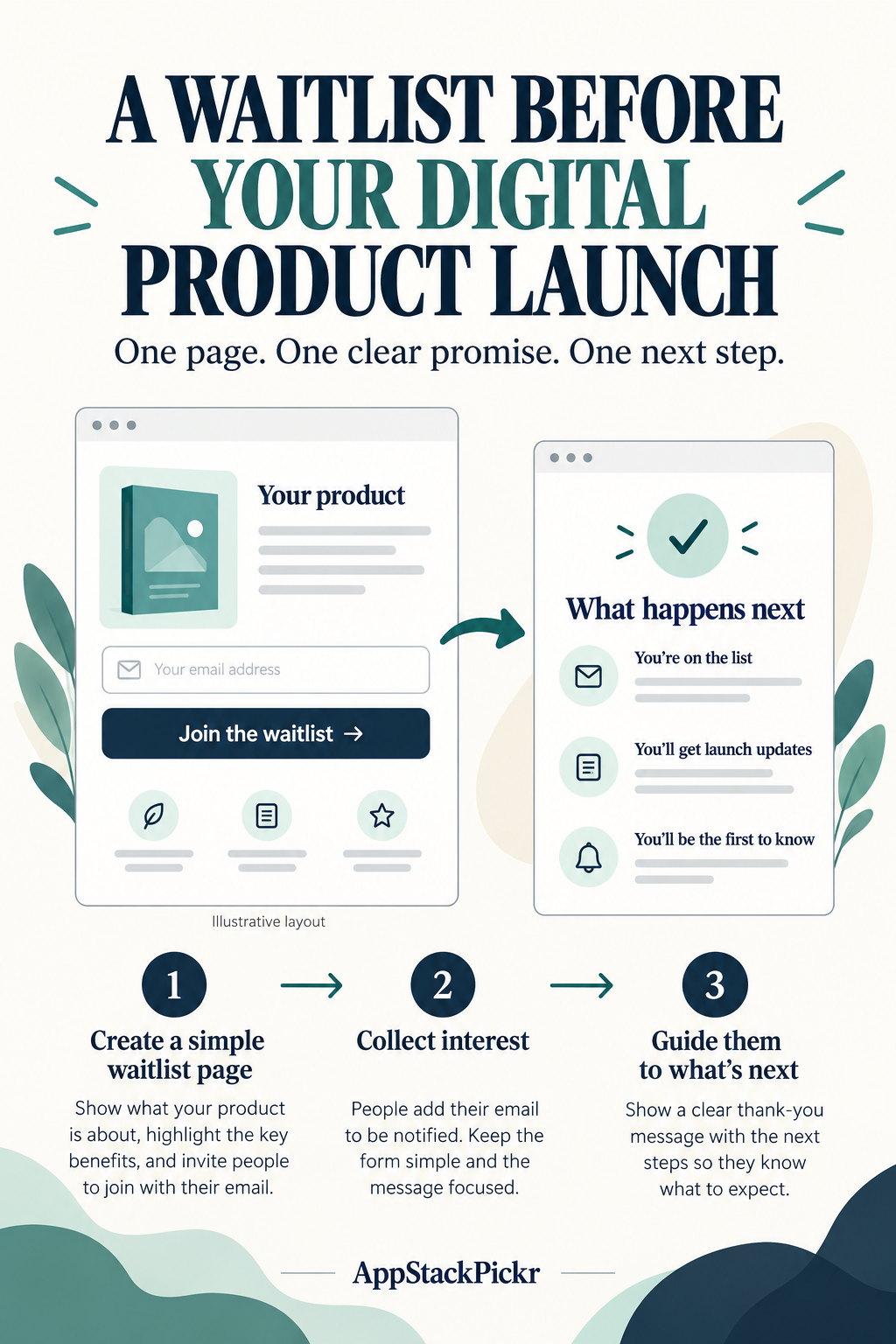
Avoid income promises, invented testimonials and false countdowns. Joining should be optional. Do not import marketplace customer email addresses into a marketing list without the permission needed for that use. Keep this invitation separate from any marketplace purchase or transaction.
2. Build the invitation and the thank-you step
In your Systeme.io account, open Sites → Sales funnels. Check your remaining funnel allowance before creating anything. The official funnel instructions cover creating a funnel and adding steps. Within a funnel, use Add step, choose Opt-in page, select a template or start from scratch, and use Edit page to customize it. See the official setup references below; account labels can change.
Replace generic template copy with your product promise. Keep the form short. Explain how you intend to use the email address, link your privacy information and check the permission requirements that apply to your audience before collecting addresses. Do not silently combine different uses of the data.
Use a thank-you page to explain what happens next. If no launch date is set, say so. If you cannot yet send updates, do not tell people to expect an immediate welcome email.
Do not add a checkout, upsell or paid webinar merely to make the funnel look complete. Those steps are unnecessary for this interest-collection task. Keep the next action clear rather than giving visitors several unrelated buttons.
3. Decide whether you can send follow-up emails
A published page and a working email campaign are different things. Systeme.io prohibits Gmail addresses as marketing senders and recommends a professional address on an authenticated domain. Consult its current sender guidance rather than assuming that an account signup email is a usable sender.
If the required sender setup is ready, prepare a short welcome message. Remind people what they joined, set realistic expectations and provide an unsubscribe option. Test delivery before promising it. Contact only people who agreed to receive those messages.
If that setup is not ready, keep the thank-you page useful and do not promise an automated sequence. Automatic transactional sender handling is not a substitute for configuring a marketing sender.
For the illustrative meal-planning kit, a useful welcome could simply confirm the signup and explain that an update will follow when the sample is ready. Do not make up a launch date, buyer testimonial or discount to fill the message.
4. Test the actual path before sharing
Use an authorized test address, and record the submission as test activity rather than a real prospect. Run through the path on a phone as well as a desktop.
- Check that the headline, form and button remain readable on a small screen.
- Submit the form and confirm that the contact appears where you expect in the account.
- Check that the thank-you step describes the next action accurately.
- Confirm that any promised email or file actually arrives and works.
- Check privacy, permission and unsubscribe information where applicable.
If something fails, fix that part before sending visitors. A form appearing on the page is not evidence that a contact was stored. A configured campaign is not evidence of delivery. A successful test is not a sale or proof of market demand.
5. Start free when free is enough
At the check date, the official pricing information lists three sales funnels and up to 2,000 contacts for the Free plan. Other limits still matter; check the official pricing page and your own account before building around an allowance.
A single waitlist is not, by itself, a reason to upgrade. First establish whether the task fits your available free capabilities. Consider paying only when a real task exceeds those limits and a simpler free configuration cannot solve it. This guide does not promise a particular paid-plan allowance.
If you already have a working page and email setup, you may not need another tool at all. Changing platforms adds work; a clearer invitation may be the more useful first improvement.
Your next step
Write your product promise, create the two steps and run the checklist. Only then share the page with an audience for whom the product is relevant.
Track page visits, voluntary waitlist joins and real buyer feedback separately. A waitlist join is not a product purchase. It is also not the same as signing up for a Systeme.io account through an affiliate link. More tools or more Pins cannot substitute for checking those separate actions.
Official references
- Funnel setup: https://help.systeme.io/article/147-how-to-create-a-funnel
- Opt-in page setup: https://help.systeme.io/article/152-how-to-create-a-opt-in-page
- Marketing sender requirements: https://help.systeme.io/article/272-is-it-possible-to-use-a-private-email-address-to-send-emails-from-systemeio
- Current plan information: https://systeme.io/pricing